Metatrader5 (MT5) not listing servers or can not find your broker? here is the fix!
Apparently MT5 is considered by new WIndows installation as “a problem” ..
well Windows is generally a bad OS, but at least this they got right as MT5 IS a problem (but of a different natue than a virus) 😉
In order to make this work there is a simple fix required, first make sure you not using a proxy in MT5 under Tools -> Options -> Server
make sure “Enable Proxy server” is off unless the broker specifically instructed you otherwise, (ONLY the broker, noone else!)
that likely wont work (but worth a try)
next: open “Windows security” navigate to Virus & threat protection and look for “Thread protection settings” click “Manage settings”
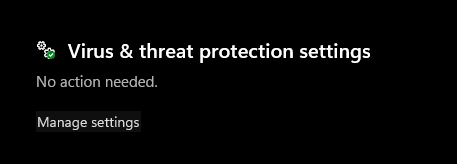
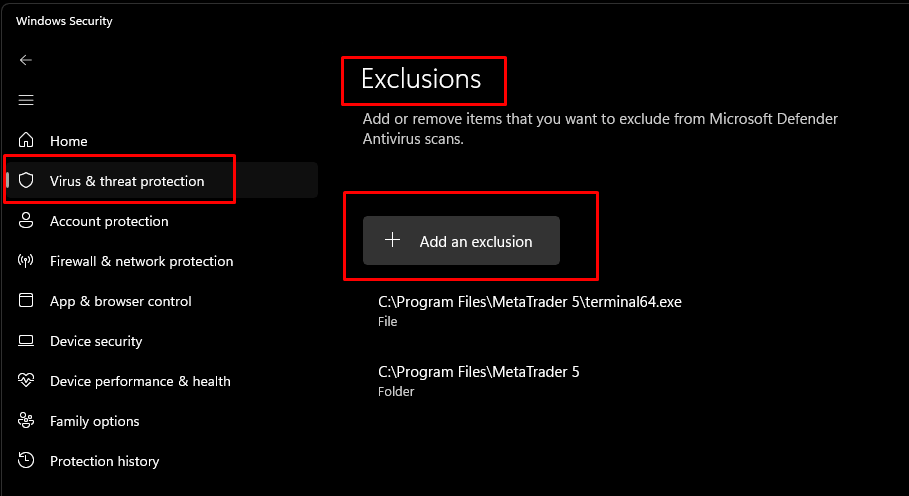
then scroll all the way down to “Exclusions” and click “Add or remove”
then just add an exclusion by selecting either the whole MT5 Directory (typically C:\Program Files\MetaTrader 5C:\Program Files\MetaTrader 5) or just the mt5 program as C:\Program Files\MetaTrader 5\terminal64.exe
if MT5 still running while you do this it should immediately find servers and let you do whatever, just keep in mind when excluding the whole directory you have a worry free solution but you are also allowing eveything in that directory to bypass your virus protection.
Pick one like in the example below.
if you new to Trading, DONT use MT4 or MT5!
just dont, the programm will teach you to get into habbits you wont be able to pull yourself out of easy, things like Mobile trading, attending a math class evey time you try to somewhat calculate a position size, the software never tells you how much a trade actually did cost you, you basically at all times at the mercy of the broker, and they can just make up anything they want.
in short, MT4/5 is a bad choice. there are multiple better choices such as Ninjatrader, cTrader (my personal favorite) Tradestation, Tradingview, ThinkorSwim and many more
if you must use it .. just be aware of those shortcommings, and to fix the position sizing issue by installing the Position Sizer from Earnforex. (this should not be negotiable!)